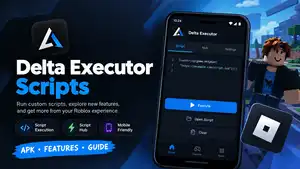
Delta Executor Scripts For Android
Security verified
Delta Executor Scripts
Delta Executor Scripts are used with Delta Executor for Roblox. The tool is made for running custom scripts inside supported Roblox games. Many users search for it when they want extra controls while playing. The main purpose is to load and execute Lua-based scripts through the executor. It is mainly discussed for Android users, although some websites also mention other platforms. The Delta Executor APK is usually installed outside the Play Store. Because of this, users should check the file before opening it. Different websites can provide different APK versions and file sizes. The available scripts can also change over time. Some users look for script hubs, while others use their own scripts. The setup is usually simple when the required version works properly.
Delta Executor can make script use more convenient on a mobile device. Users can open the executor and prepare a script before using Roblox. Some versions include a script hub or simple script editor. Through this, users can find scripts without searching every time. The interface is generally made around basic buttons and script controls. This can make the process feel more clear for mobile users. Many users also search for Delta Executor Roblox Scripts for different Roblox games. These scripts can have different purposes and may not work in every game. Compatibility can change after Roblox updates. So, an older executor or script may stop working later. Users should also remember that third-party executors are not official Roblox tools.
Delta Scripts Scripts Information
| App Detail | Information |
| App Name | Delta Executor Scripts |
| Version | Varies by release |
| Developer | Delta / Third-party developers |
| File Size | Varies by APK build |
| Android Requirement | Android 5.0+ on some listed builds |
| Category | Roblox Script Executor |
| Last Updated | Varies by source and release |
What is the Delta Executor Scripts Apk?
Delta Executor is a third-party tool connected with Roblox script use. It allows users to load custom scripts while Roblox is running. These scripts can change or add certain actions inside supported games. Users may use the tool for testing scripts, automation, or different game functions. The exact result depends on the script being used. Delta Executor is mostly searched by mobile Roblox users. Android users normally get an APK file instead of a Play Store listing. Some public pages also mention iOS and computer use. However, installation methods can be different between devices. The main idea remains the same, which is running scripts through an executor while playing Roblox.
The app is popular in searches because it gives users another way to use Roblox scripts. Many people prefer a simple interface that does not need many settings. Some versions include a script editor for adding custom code. Other versions or related sites mention a built-in script hub. Through these options, users can prepare scripts in one place. The available functions can change when Roblox receives updates. This is because third-party tools may need new versions after game changes. Users should also understand that Delta Executor is not an official Roblox application. Using third-party executors can also create account or game access risks.
How to Download,Install,and Use Delta Executor Scripts?
Step 1: Check your Android version
First, check which Android version your phone is using. Some listed Delta builds support Android 5.0 or newer.
Step 2: Check available storage
Make sure your phone has enough free storage space. The APK size can differ between available builds.
Step 3: Download the APK file
Download the Delta Executor APK from a source you trust. Avoid opening random files from unknown pages.
Step 4: Check the downloaded file
Look at the file name and file size before installing. This simple check can help avoid the wrong package.
Step 5: Allow the required installation permission
Android can block APK files from outside the Play Store. If needed, allow your browser to install unknown apps.
Step 6: Open the APK file
Go to your Downloads folder and tap the APK. Android should show the installation screen.
Step 7: Install Delta Executor
Tap the install option and wait for the process. Do not close the screen during installation.
Step 8: Open the application
After installation, open Delta Executor from your app list. Some versions may show extra setup screens.
Step 9: Check the available options
Look through the interface before using any script. You may find an editor, script area, or script hub.
Step 10: Open Roblox
Start Roblox and enter a supported game. The executor normally needs Roblox running before scripts can work.
Step 11: Prepare your script
Use a script that you understand and trust. Different Delta Executor Roblox Scripts can work differently.
Step 12: Use the script carefully
Follow the instructions provided with the script. If it does not work, check compatibility before trying again.
Feature Of Delta Executor Scripts
Simple Script Execution
Delta Executor Scripts is designed around script execution for Roblox. Users can place a supported script into the available script area. The tool then attempts to run that script inside the game. The exact result depends on the script and current Roblox changes.
Mobile-Friendly Interface
The interface is generally made for users working on mobile devices. Buttons and script areas can be easier to use on a phone. Users can open the tool without needing a full computer setup. This makes script handling more convenient for some Android users.
Script Editor
Some Delta Executor releases include a script editor. Users can enter or paste their own script into this area. This can make testing different scripts more simple. The editor options can change between different releases.
Script Hub
Some versions or related Delta pages provide access to a script hub. A script hub can keep several scripts in one place. Users can select a script instead of entering everything manually. The available scripts can change over time.
Custom Scripts
Users can work with custom Roblox scripts through the executor. These scripts may be created for different game functions. A script can behave differently from another script. Users should check what each script is intended to do.
Game Script Support
Delta Executor is commonly used with scripts made for Roblox games. Different games can require different scripts and methods. A script made for one game may not work somewhere else. This makes script compatibility an important part of usage.
Easy Script Loading
The basic process can involve loading a script into the executor. Users can copy a script and place it into the available field. This can save time when the script is long. However, the loading process can differ between releases.
Mobile Roblox Use
Delta Executor is mainly discussed among users who play Roblox on mobile devices. Android users can install an APK version when available. The mobile setup keeps the process away from a desktop computer. Device and Roblox updates can still affect compatibility.
Lua Script Support
Roblox scripts are commonly written using Lua-based scripting. Delta Executor is associated with running these types of scripts. Users can place supported script code into the executor. The actual support can depend on the current executor release.
Simple Controls
The tool usually focuses on a small number of basic controls. Users may see options for attaching, executing, clearing, or loading scripts. Simple controls can make the interface easier to understand. The exact buttons can change with each version.
Script Copy and Paste
Users can copy scripts from another source and paste them into the executor. This can be useful when working with longer script text. It also avoids typing the full script by hand. Users should still check unknown scripts before running them.
Lightweight Setup
The APK itself can be relatively small compared with large mobile applications. However, file size changes between different builds. A smaller package can make downloading easier on limited storage. Users should always check the actual file before installation.
Regular Release Changes
Third-party executor releases can change when Roblox changes its own system. Users may therefore find different versions on different websites. A newer release may have different functions than an older one. This is why release information should be checked before installation.
Script Compatibility Checks
Not every script works with every executor version. Users may need to check whether a script supports their current setup. Game updates can also cause scripts to stop working. Compatibility is therefore important before using a script.
Clear Script Area
A script area gives users one place to view their code. They can paste, edit, or remove script text there. This can keep the basic process more organized. The layout may look different across releases.
Quick Access to Scripts
When a script hub is included, users can access several scripts from one place. This removes some repeated searching for commonly used scripts. Users can select a listed option when available. The number and type of scripts depend on the release.
Basic Error Handling
Some releases may show simple messages when a script does not run. These messages can help users notice an issue. However, they may not explain the exact reason. Users may need to check the script or executor version again.
No Complex Setup for Basic Use
The general setup does not always require many visible configuration steps. Users can install the APK and open its interface. After that, they can check the available script options. Extra requirements can still vary between versions and devices.
Pro And Cons
Pros
- Simple interface for basic script use
- Designed around Roblox script execution
- Android-focused versions are available
- Supports custom script loading
- Some releases include script hubs
- Script editor may be available
- Copy and paste can save time
- Useful for mobile script testing
- Different scripts can be stored or loaded
- Setup can be simple on supported devices
- Does not require a large desktop setup
- Users can work directly from Android
Cons
- It is not an official Roblox application
- APK versions can differ between websites
- Scripts may stop working after updates
- Some scripts may not be compatible
- Third-party APK files can create security concerns
- Roblox account or game restrictions may apply
Delta Executor Scripts vs Roblox
| Feature | Delta Executor Scripts | Roblox |
| Main purpose | Script execution | Games and experiences |
| Official Roblox app | No | Yes |
| Custom script execution | Available through executor | Official scripting in Studio |
| Android app | APK versions | Official app |
| Play Store support | Not official | Official |
| Game creation | Not its main purpose | Available through Studio |
| Account policy | Third-party use | Official platform |
| Script language | Luau-based scripts | Luau |
| Updates | Third-party releases | Official updates |
Delta Executor focuses on running custom scripts through a separate tool. Some Delta-related pages describe script hubs, mobile support, and different execution features. These claims can differ between releases and websites. Roblox itself uses Luau for official game scripting, with tools inside Roblox Studio for creating and testing games.
Roblox provides official support for scripting through Studio. Its editor includes features such as autocomplete, syntax highlighting, and script analysis. This makes the official system different from a third-party executor. Roblox also states that exploit use can result in account action.
FAQs
What is Delta Executor?
Delta Executor is a third-party Roblox script executor. It is used to load custom scripts with supported Roblox versions. It is not an official Roblox application.
Is Delta Executor safe to use?
Safety can depend on the file and download source. Roblox warns that exploit downloads can contain malware or phishing programs. Users should avoid unknown files and never provide passwords or private information.
Is Delta Executor free to use?
Some Delta websites describe their releases as free. However, versions and access systems can change. Users should check the specific release information before installing it.
Does Delta Executor require root access?
Some Android release pages state that root is not required. However, requirements can differ between versions. Check the installation information for the exact APK being used.
Can this app stop working?
Yes, scripts can stop working after Roblox changes. The executor itself can also need an update. This is common with third-party tools that depend on a changing game client.
Can a Roblox account get banned for exploiting?
Roblox states that exploiting or cheating violates its Terms of Use. It also says detected exploiting can lead to account deletion.
Is Delta Executor available on iOS?
Some third-party Delta websites advertise iOS versions. The installation method can involve sideloading rather than the normal App Store. Users should check the current release information carefully.
Can I use Delta Executor on PC?
Some Delta websites advertise Windows support. Other pages describe PC use through an emulator. The available method depends on the particular release and platform.
Conclusion
Delta Executor Scripts are mainly discussed around custom Roblox scripting. Users search for the tool because it provides another way to load scripts. The available options can include script editors, script hubs, and simple execution controls. Some releases focus mainly on Android devices. Other third-party pages also advertise iOS and Windows versions. These details can change between releases, so old information may not match a newer build. The Delta Executor APK is also normally obtained outside the official Roblox app system. Because of that, users need to pay attention to the source. Roblox officially provides its own scripting tools through Roblox Studio. Its documentation explains that Roblox uses Luau for scripting and development.
The tool can look simple for users who already understand custom scripts. However, script compatibility is not always the same across games. Roblox updates can also affect third-party executors and scripts. Another important point is the platform policy around exploiting. Roblox says exploiting and cheating violate its Terms of Use. It also warns that exploit downloads can contain harmful software. Therefore, users should not share account passwords or private details with download pages. Official Roblox tools provide a different route for learning and creating scripts. Roblox Studio includes an editor, testing tools, and Luau support.